A little closer. A lot more connected.
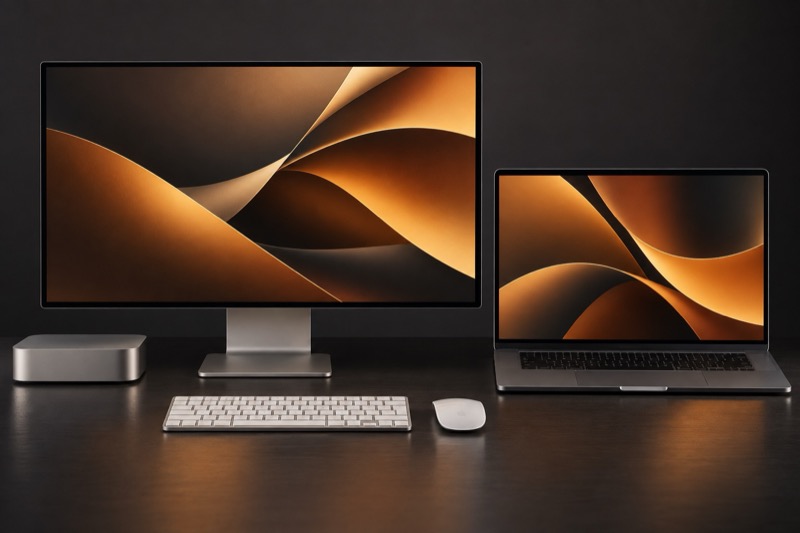
Two Macs. One workspace. One mouse and keyboard for the Macs on your desk.
See how it feels ↗ Meet sidebyside
Less switching.More doing. Your work is already spread across your desk. Now your mouse, keyboard and ideas can move with it.
01 / 04 Move Type Copy Files
Interactive demo Just keep moving. Reach the edge of one Mac and keep going. The pointer moves to the next. Nothing to switch.
Your keyboard follows. Wherever your pointer goes, your keyboard is right there with it.
Copy here. Paste there. Text, links and images. The familiar shortcuts, across your Macs.
Even your files cross over. Pick up a file. Cross the edge. Drop it where it belongs.
Start here.
Notes
An idea worth keeping. A good idea travels.
Mac mini
A different kind of connection
Your screens staywhere they are. Each Mac runs its own apps, on its own display. Only your input and the content you choose travel between them.
Mouse · Keyboard
Clipboard · Files No screen streaming. No compressed pixels. No remote desktop window.
Engineered for the everyday
It shouldfeel local. Mouse and keyboard traffic have their own lane. File transfers have theirs. So moving a file need not get in the way of moving your pointer.
→
→
Separate connections. One workspace.
A place for every Mac
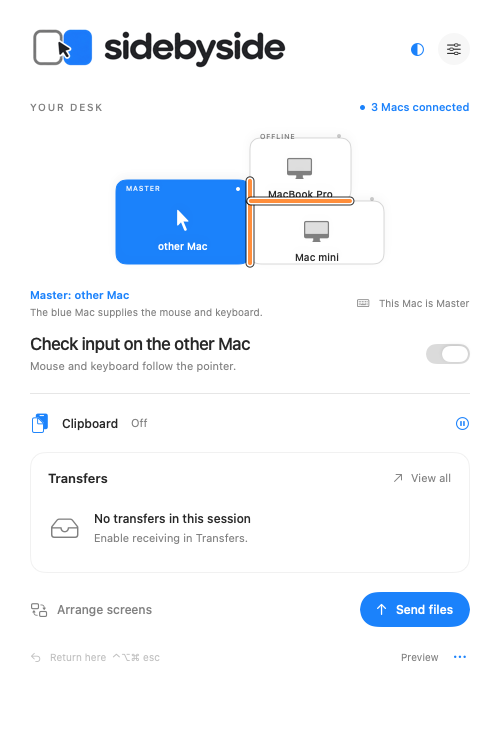
Your desk.Your arrangement. Put your displays where they are in real life. sidebyside uses that arrangement to know exactly where your pointer should go next.
Left Right Below
Try an arrangement. The orange edge is your crossing.
Native app preview, shown in English. Trust belongs between your Macs
Your computers.Your connection. A direct connection. Your Macs communicate over your local network, using encrypted TLS connections. No cloud relay for your workspace.
Known devices only. The private preview verifies devices in the same owner group. Simply being on your Wi-Fi does not grant access.
You choose what moves. Clipboard and file sharing start off. Enable them when you need them. Local input can take control back.
About privacy and the preview ↗ At home on your Mac
Small in your menu bar.Big on your desk. Native macOS controls. Familiar permissions. Built around the way a Mac works, from the first movement to the last keystroke.
macOS 14+ Apple silicon + Intel
sidebyside
Side by side.Finally together. One mouse to rule them all.
Mac App Store release planned Currently in private preview. Not yet available to download.
Where things stand The app is in private development. Physical multi-Mac input, continuous Finder drag, reliability and release security still require validation. No public download, launch date or pricing is announced.